Zokio · Shipped 2024

Building anime NFT collectors a home they want to share, and the design system behind it

Team
Product designer (me), product manager, and developers
Deliverables
Responsive web designs, user flows, handoff notes, and the design system
Overview
Zokioverse brings anime NFT projects together. I designed the web app from 0 to 1, defined its visual style, and built the Zokio design system from scratch.
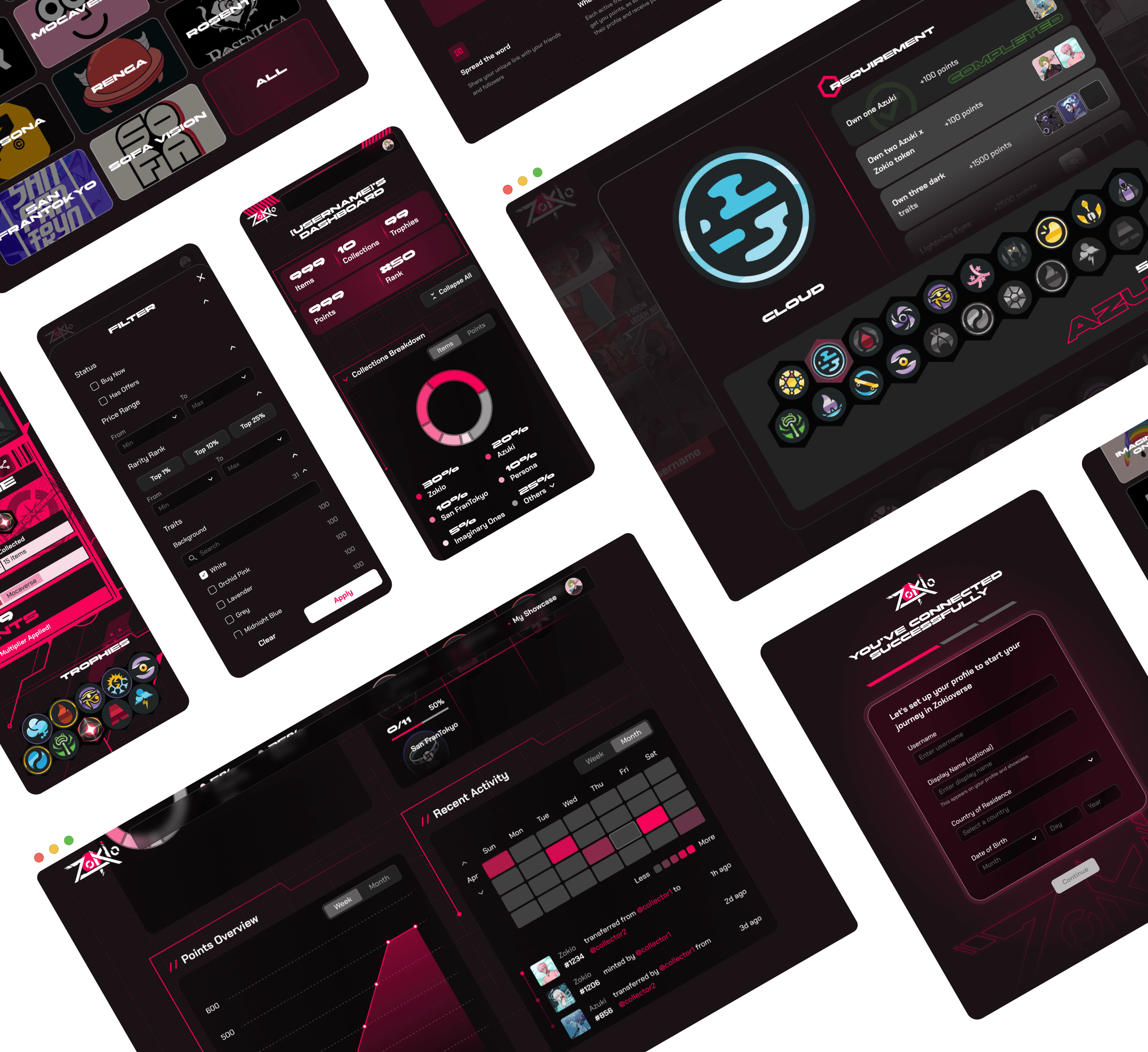
Zokioverse screens in dark plum and pink: project showrooms, a collection filter, a collector dashboard with holdings by project, trophy requirements, a points chart, an activity calendar, and profile setup.

01 / Landing page

Lead guests to one action: connect a wallet.

A welcome section introduces Zokioverse, and Connect Wallet stays centered at every breakpoint.
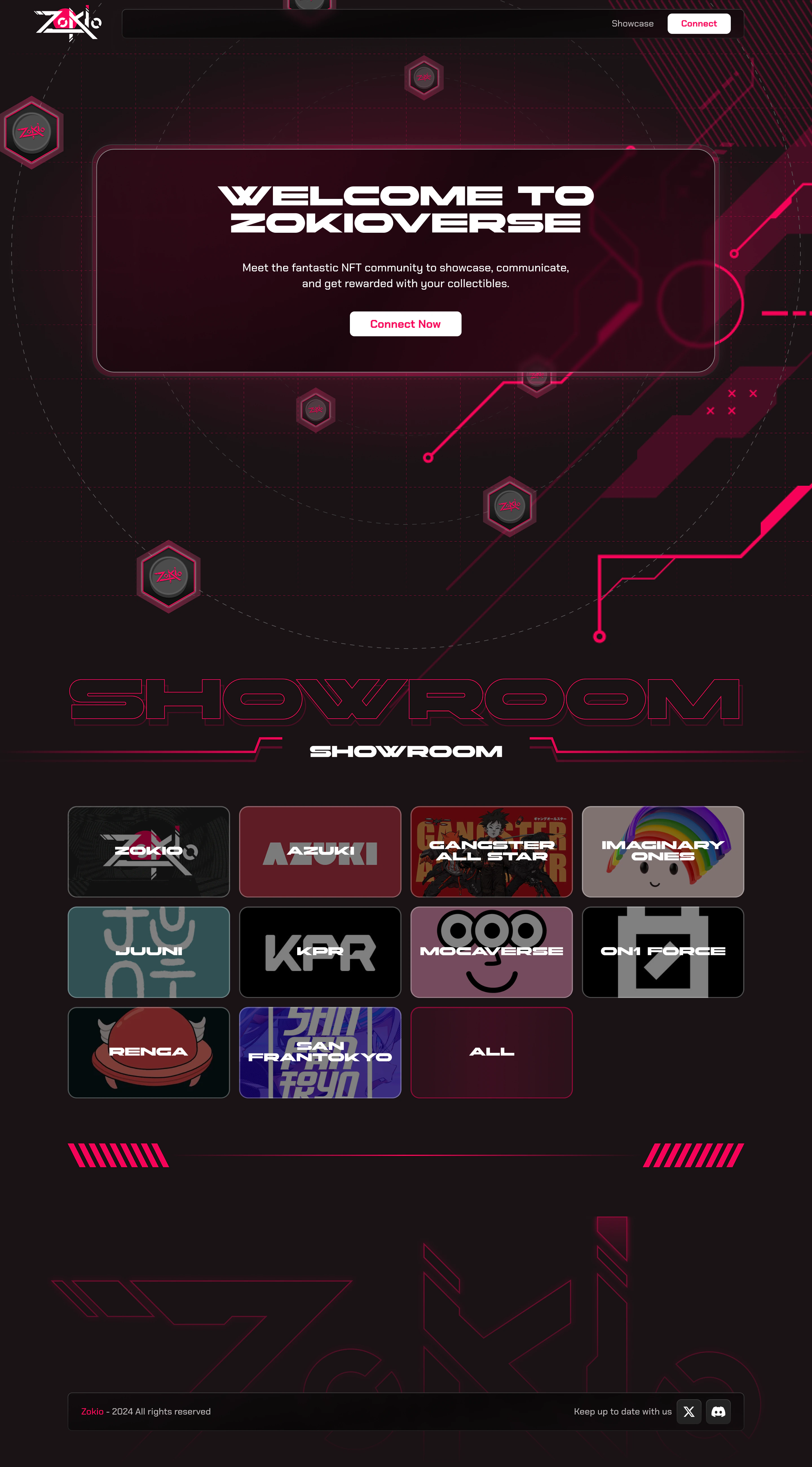
The Zokioverse landing page for guests: a Welcome to Zokioverse card with one Connect Now button, above a showroom grid of the projects in Zokioverse.

02 / Project showroom

Give every project in Zokioverse a showroom of its own.

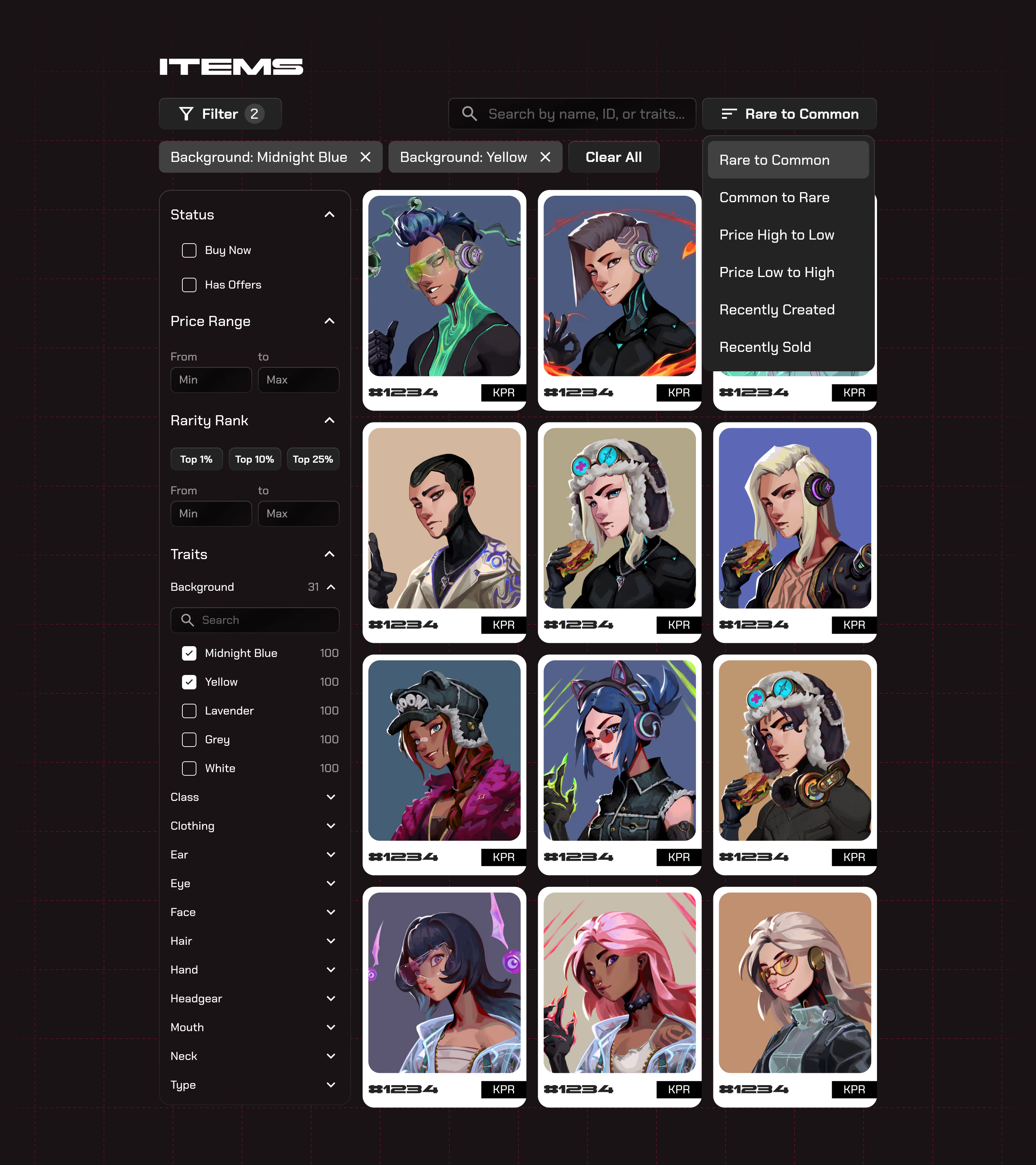
Each showroom holds the project’s banner, trophies, and NFTs. Rarity and trait filters appear once a collection is picked.
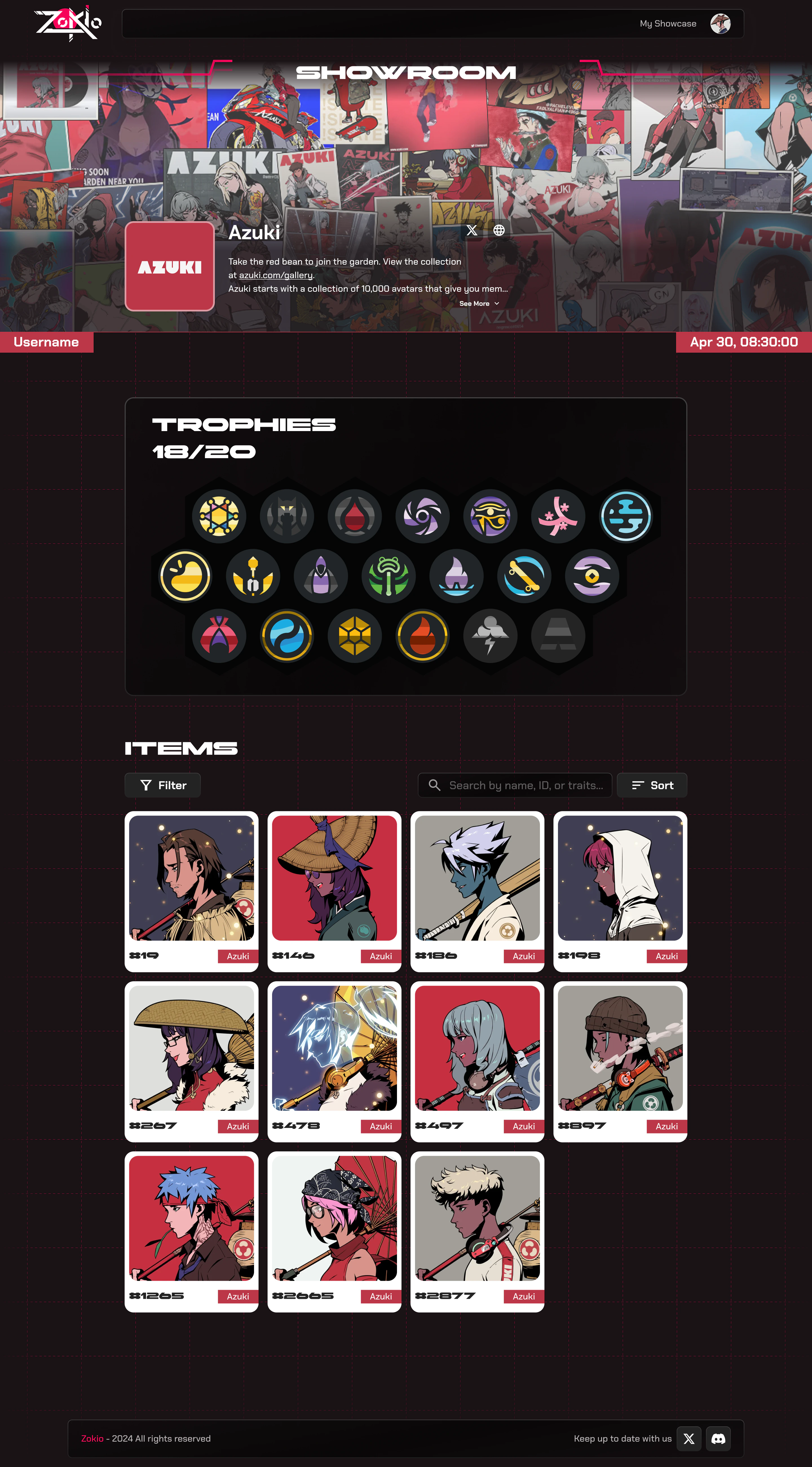
The Azuki showroom: the project’s banner and description, its trophies, 18 of 20 collected, and the collector’s Azuki items with filter, search, and sort.
Items filtered by two background traits shown as removable chips, with a sidebar for status, price range, rarity rank, and traits, and a sort menu open from Rare to Common to Recently Sold.

03 / Profile setup

Say what each step asks for, and why.

Setup runs in short steps after Connect Wallet. Each field says how it’s used, and optional steps can wait.

04 / Showcase setup

Fill every showcase by default, then let collectors choose.

Collectors pick the trophies and NFTs to feature, or skip and get their most recent ones.

05 / Settings

Keep account details apart from the public showcase.

Profile, Anime Showcase, and Wallets each get a page, and everything from setup stays editable.

06 / NFT showcase

Show what collectors have built, not what it’s worth.

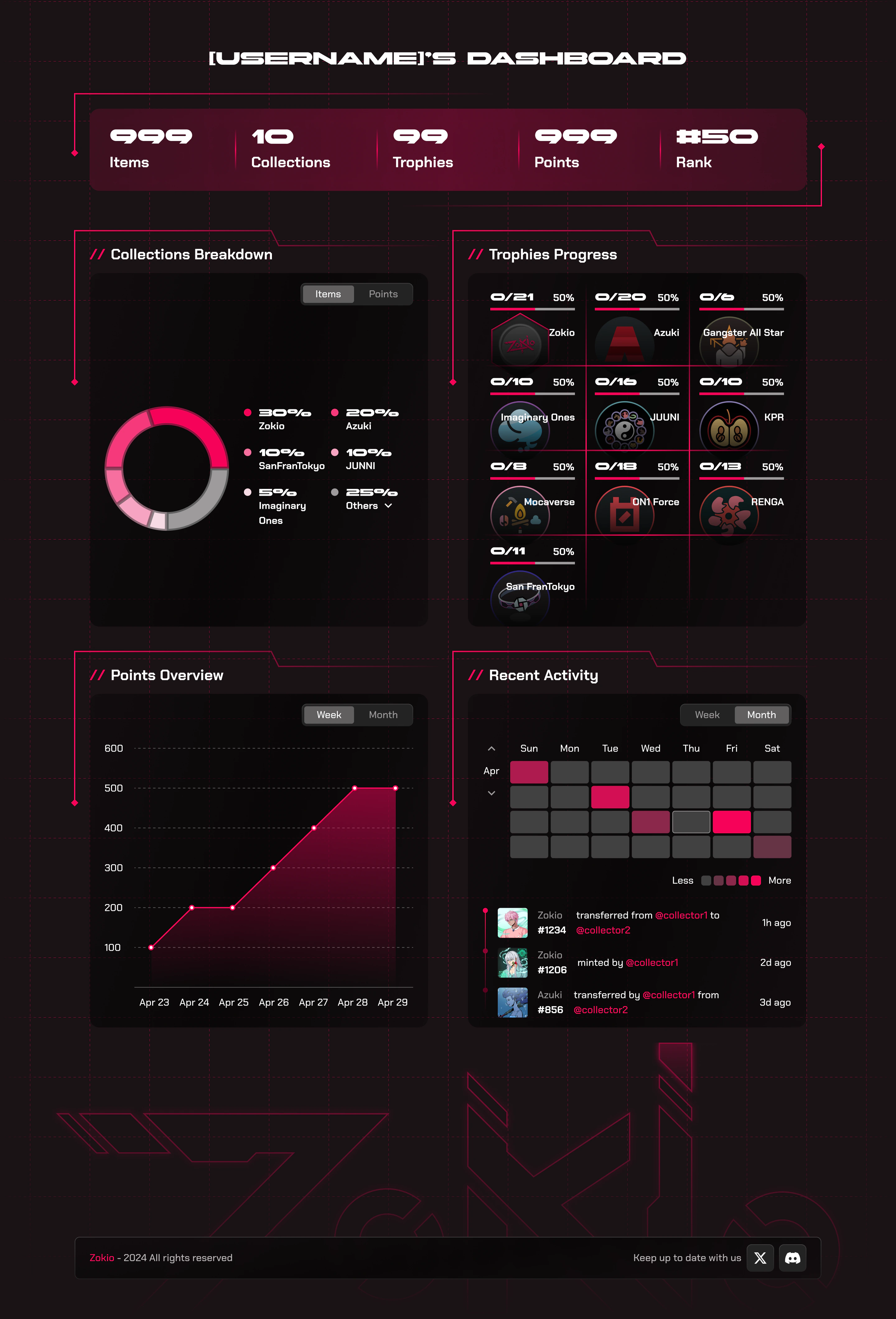
A public profile of featured trophies and NFTs, with a dashboard of points, rank, and recent activity.
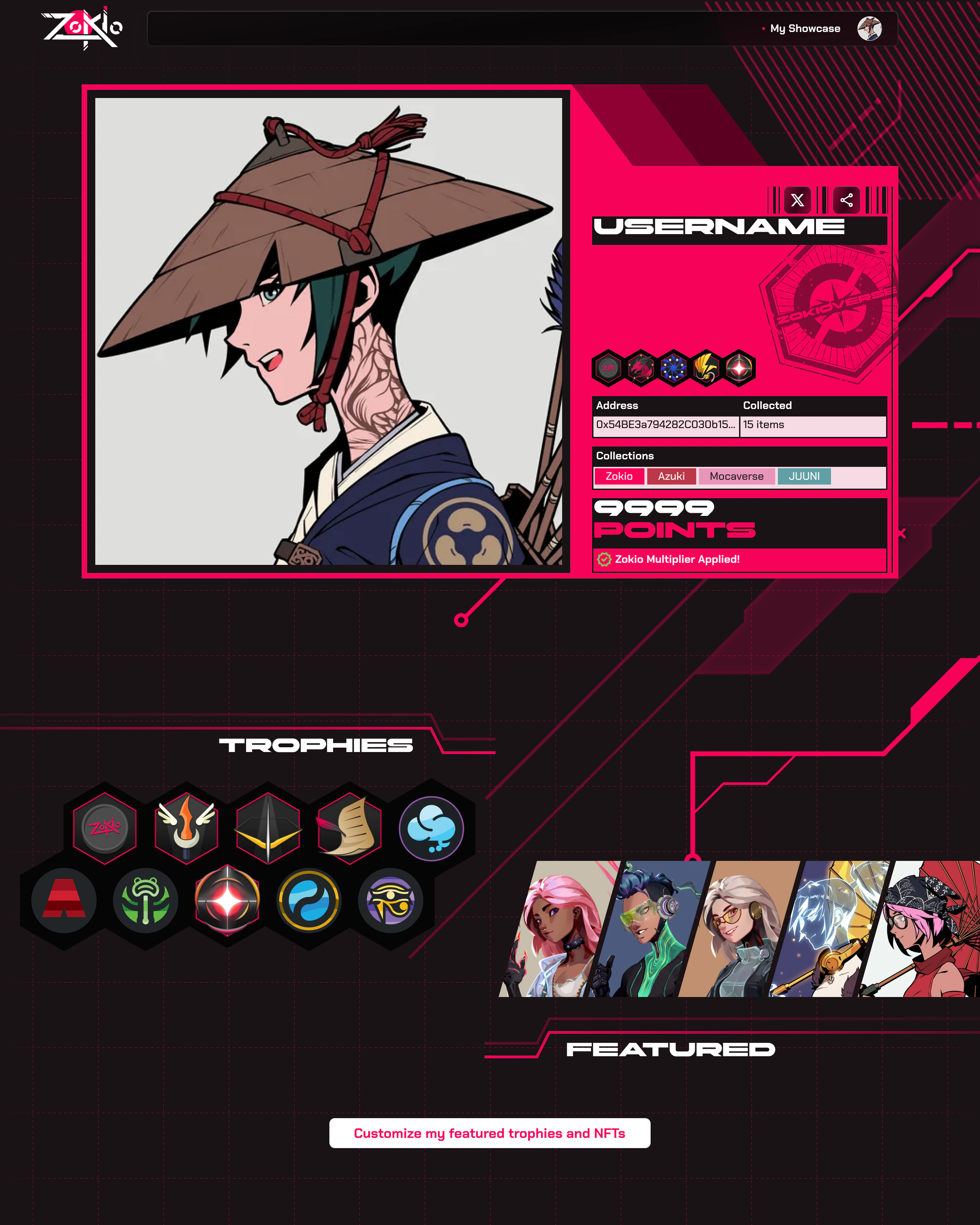
A collector’s public showcase: their NFT as a large portrait beside a card with username, featured trophies, wallet address, items collected, collections, and points marked Zokio Multiplier Applied, then featured trophies in a honeycomb and featured NFTs in a slanted strip.
The collector’s dashboard: totals for items, collections, trophies, points, and rank; a donut of collections; trophy progress per project; a points chart by day; and a calendar of recent activity with transfers and mints.

07 / Trophy points system

Reward holding over flipping.

Each trophy has a plain requirement and earns points. Points grow with holding time, and holding a Zokio multiplies them.
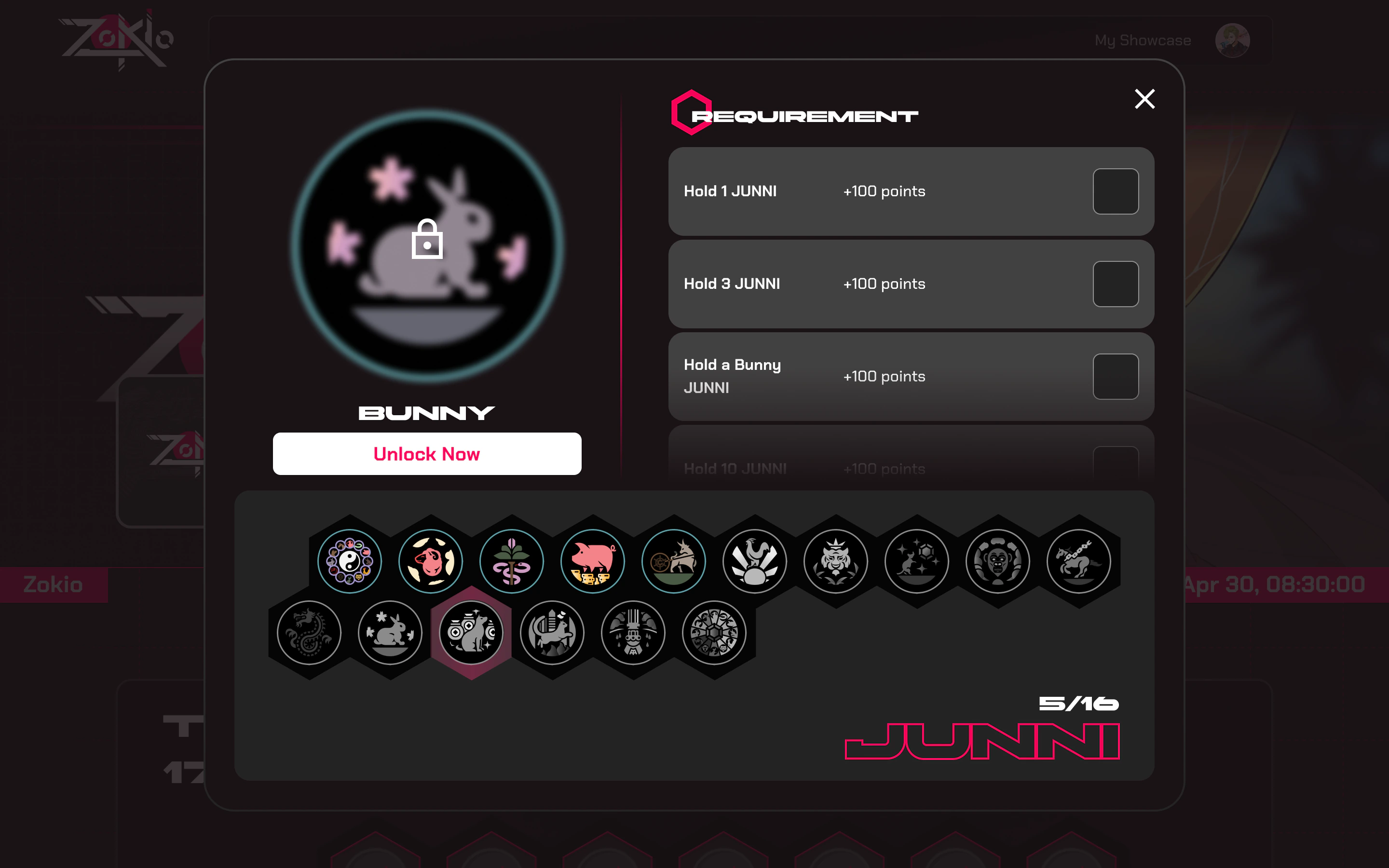
The locked Bunny trophy from JUUNI: requirements such as holding 1 JUUNI, 3 JUUNI, or a Bunny JUUNI, each worth 100 points, an Unlock Now button, and the project’s trophies with 5 of 16 unlocked.
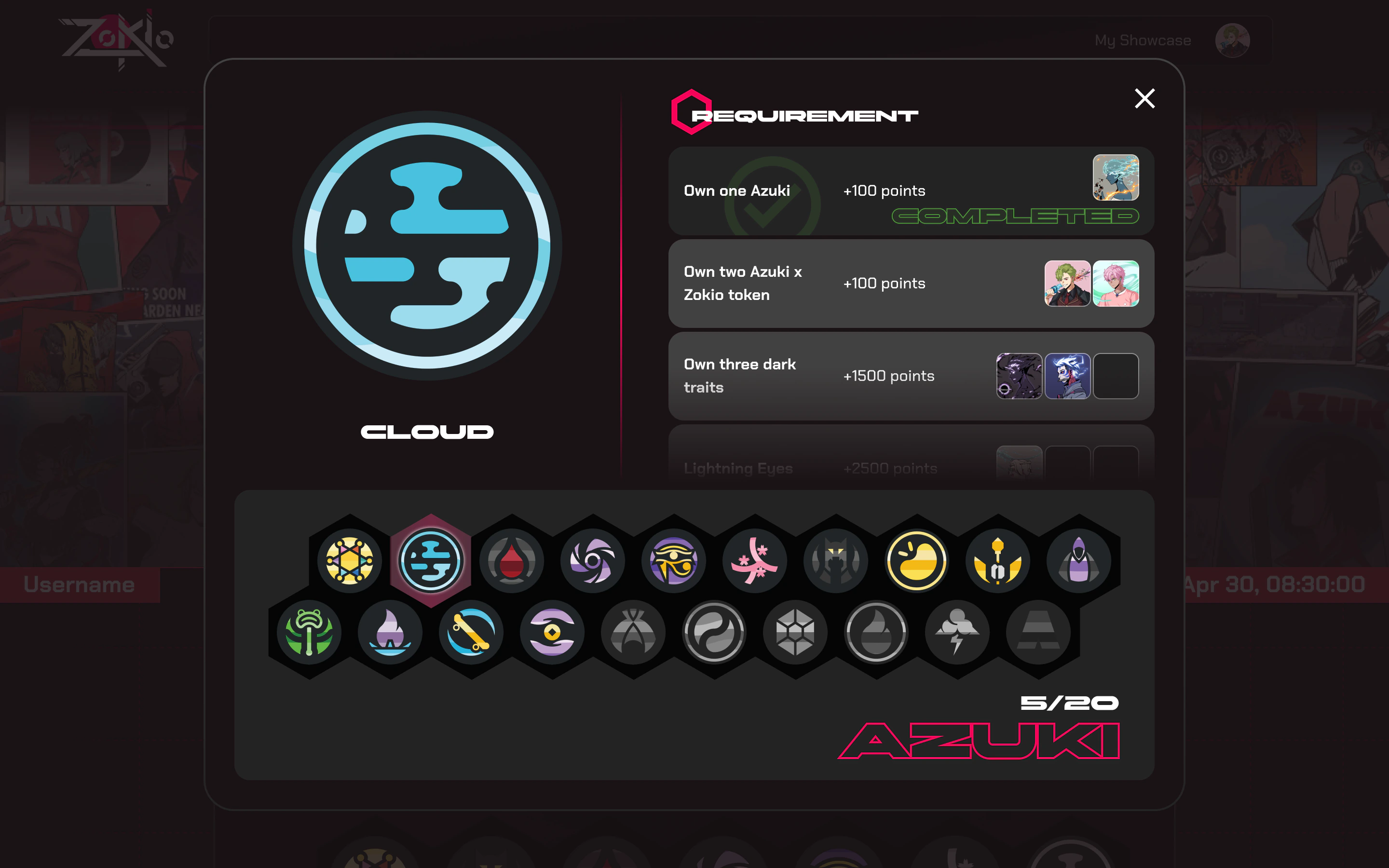
The Azuki Cloud trophy: Own one Azuki is completed with the NFT that met it, while the next requirements show the NFTs held so far and the slots still empty; 5 of 20 Azuki trophies are unlocked.

08 / Social & referral

Put every other way to earn points one click away.

Each social quest and referral shows the action, its points, and a button to do it.

Social Points: quests such as following Zokioverse on X, linking an X account, and inviting friends, each worth 150 points with its own button, from Claim to Claimed, beside the collector’s total points.
Invites: a referral link with Copy, share buttons for X and Discord, three steps for how referrals earn points, and a ladder of referral bonuses at 1, 5, 10, and 20 successful referrals.

09 / Design system

Write down what each component does at every breakpoint.

The system covers foundations, components, patterns, and trophy assets. Each component notes what scales and what stays fixed.
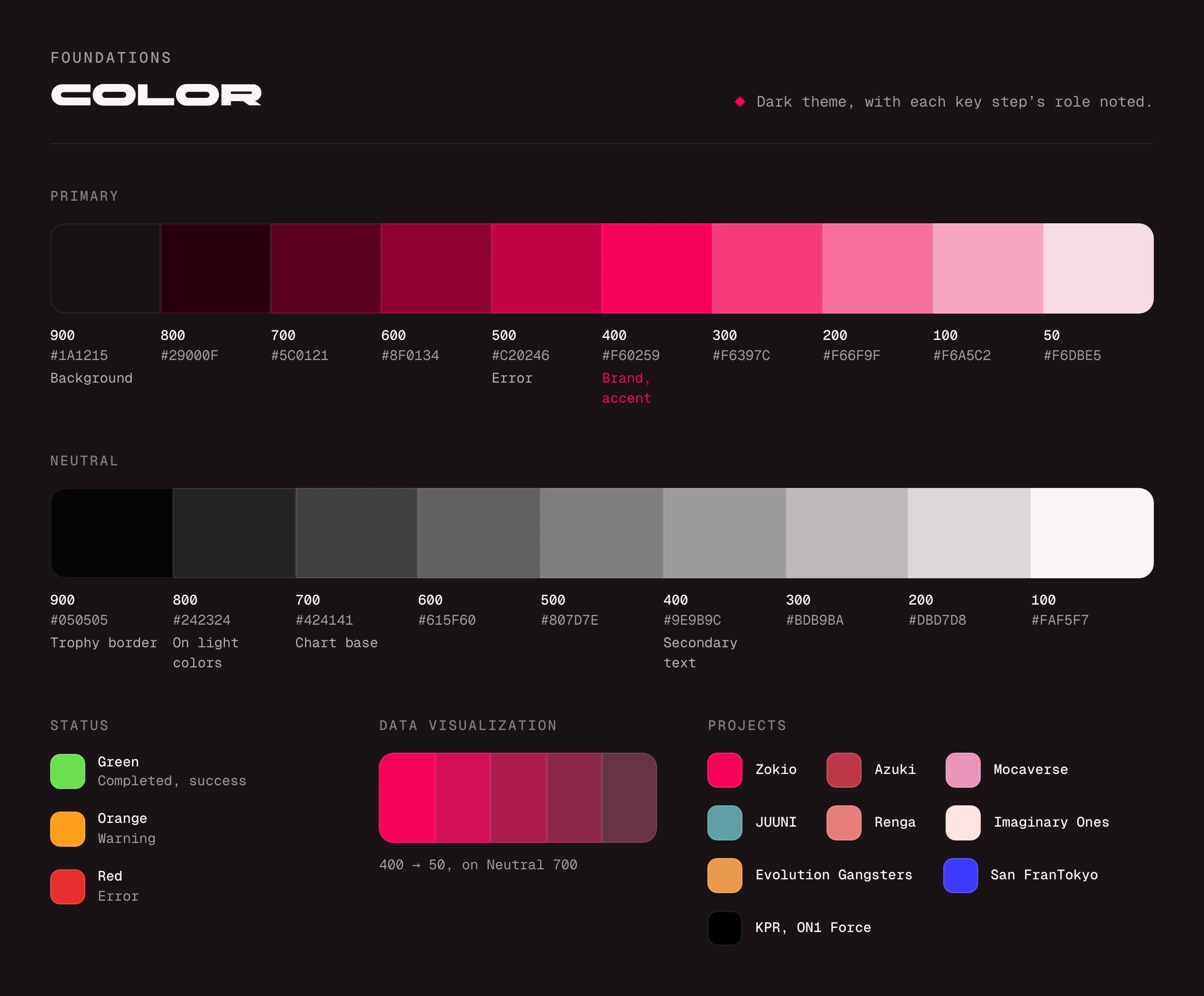
Color foundations: a primary ramp from 900, the plum background, through 400, the brand pink, to 50; a neutral ramp from 900 to 100 with roles such as trophy border and secondary text; green, orange, and red for status; a five-step pink ramp for data visualization; and one color per project.
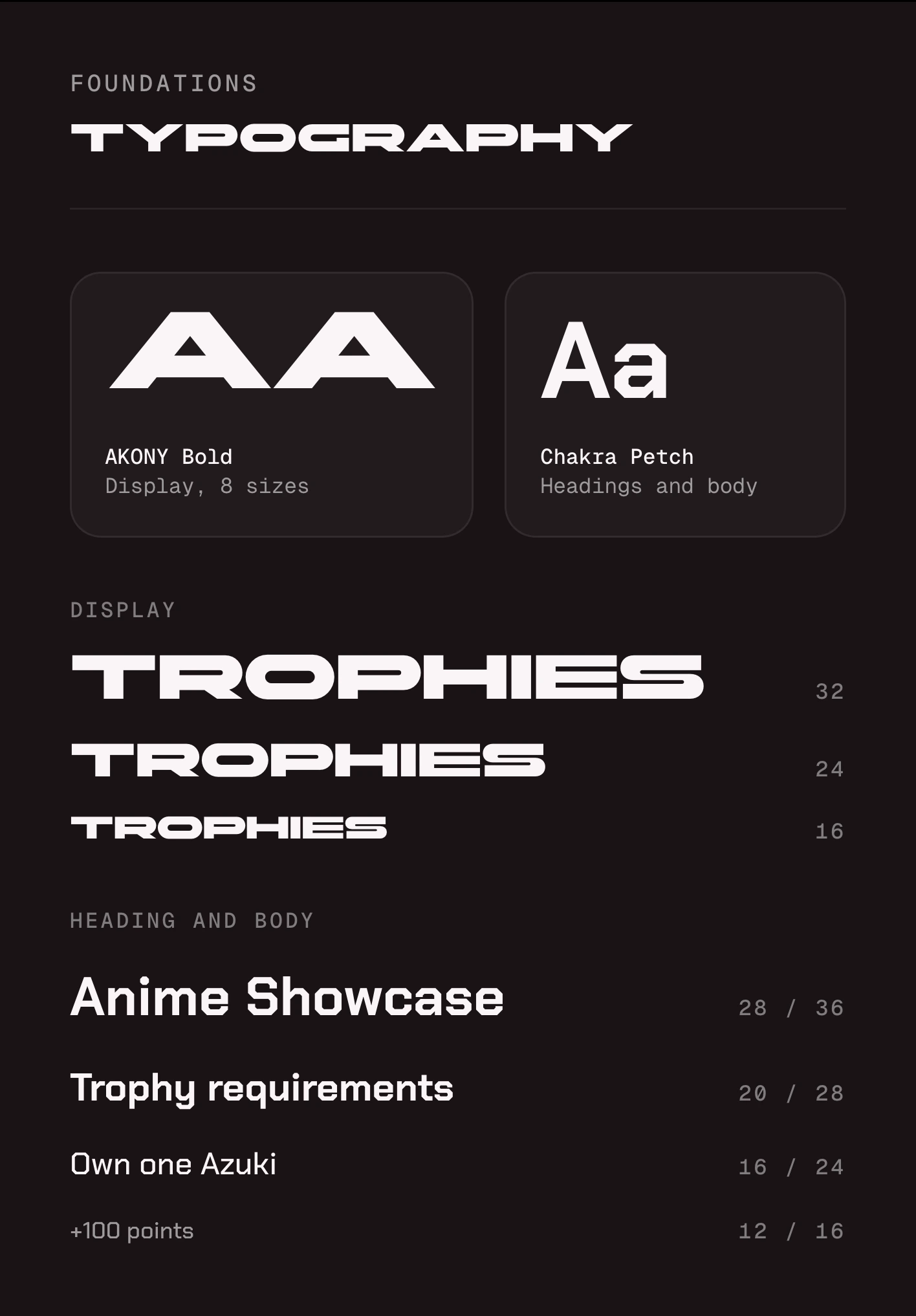
Typography: AKONY Bold for display text in 8 sizes, shown at 32, 24, and 16px, and Chakra Petch for headings and body, from 28px on 36px down to 12px on 16px.
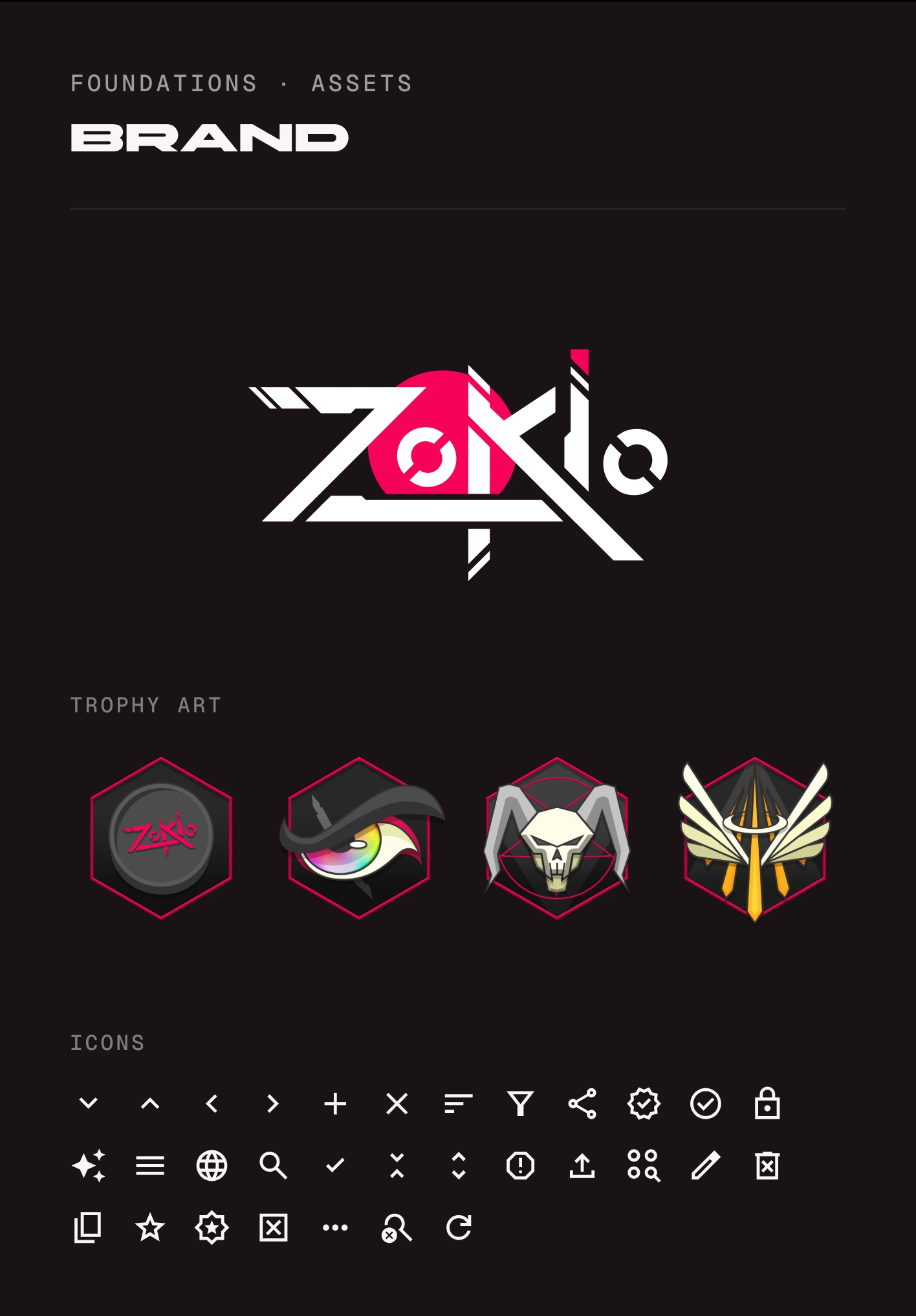
Brand: the Zokioverse logo on dark, four trophy illustrations in pink-edged hexagons (a Zokio coin, an eye, a horned skull, and winged swords), and the icon set.
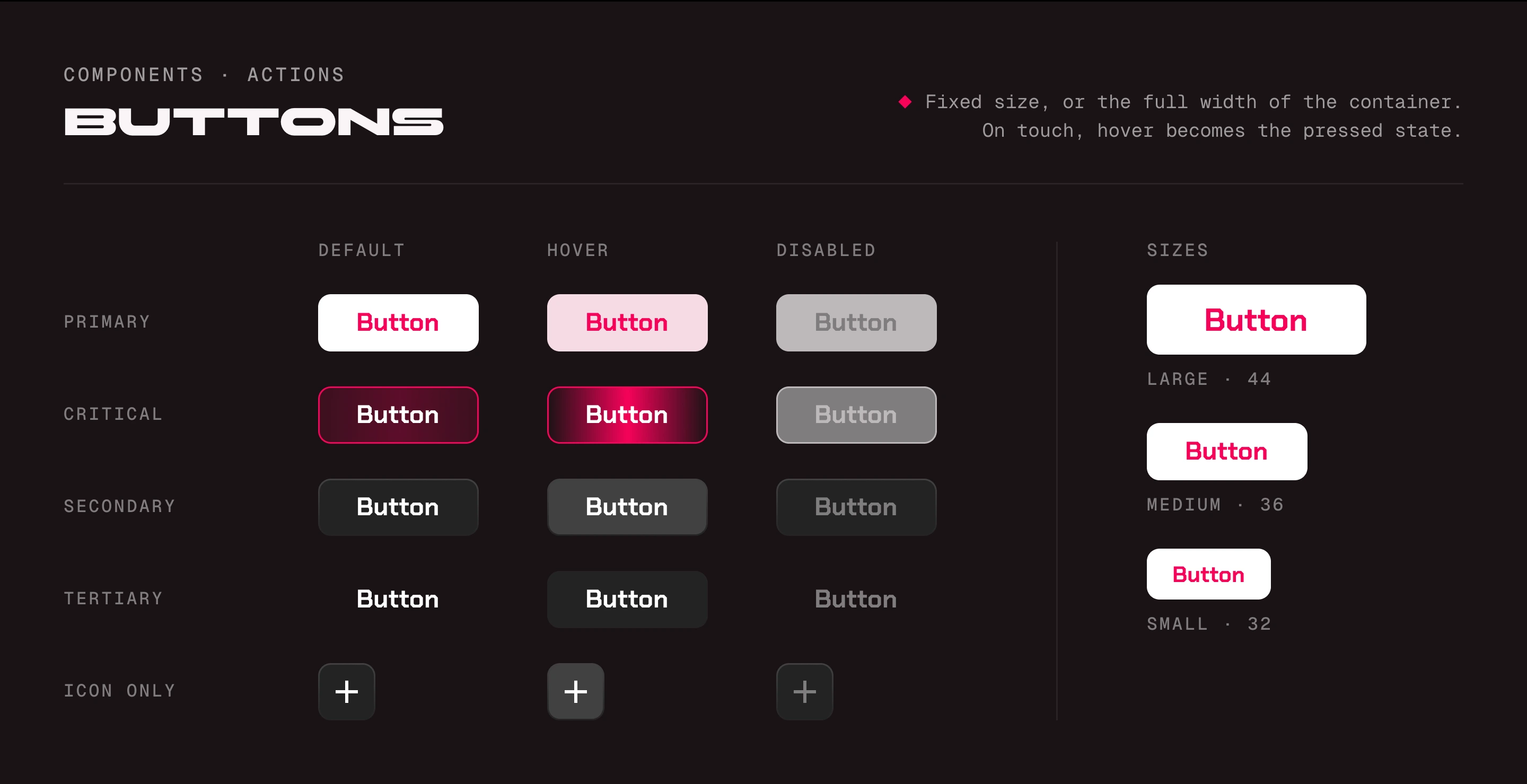
Buttons: primary, critical, secondary, tertiary, and icon-only buttons in default, hover, and disabled states, and the primary button at 44, 36, and 32px tall. The note: fixed size or full width, and on touch the hover state becomes the pressed state.
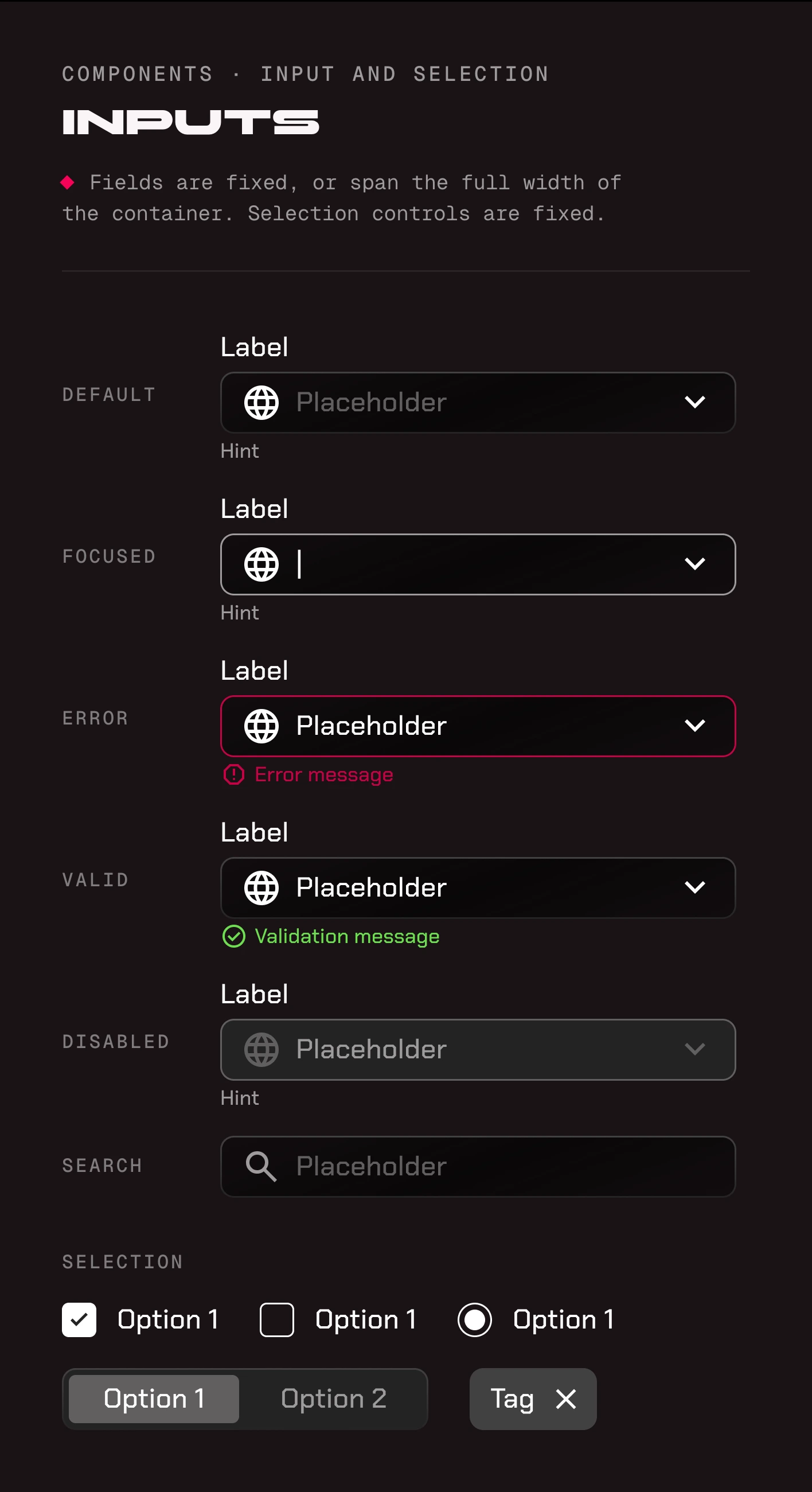
Inputs: a text field in default, focused, error, valid, and disabled states, a search field, and selection controls: checkboxes, a radio button, a two-option switch, and a removable tag.
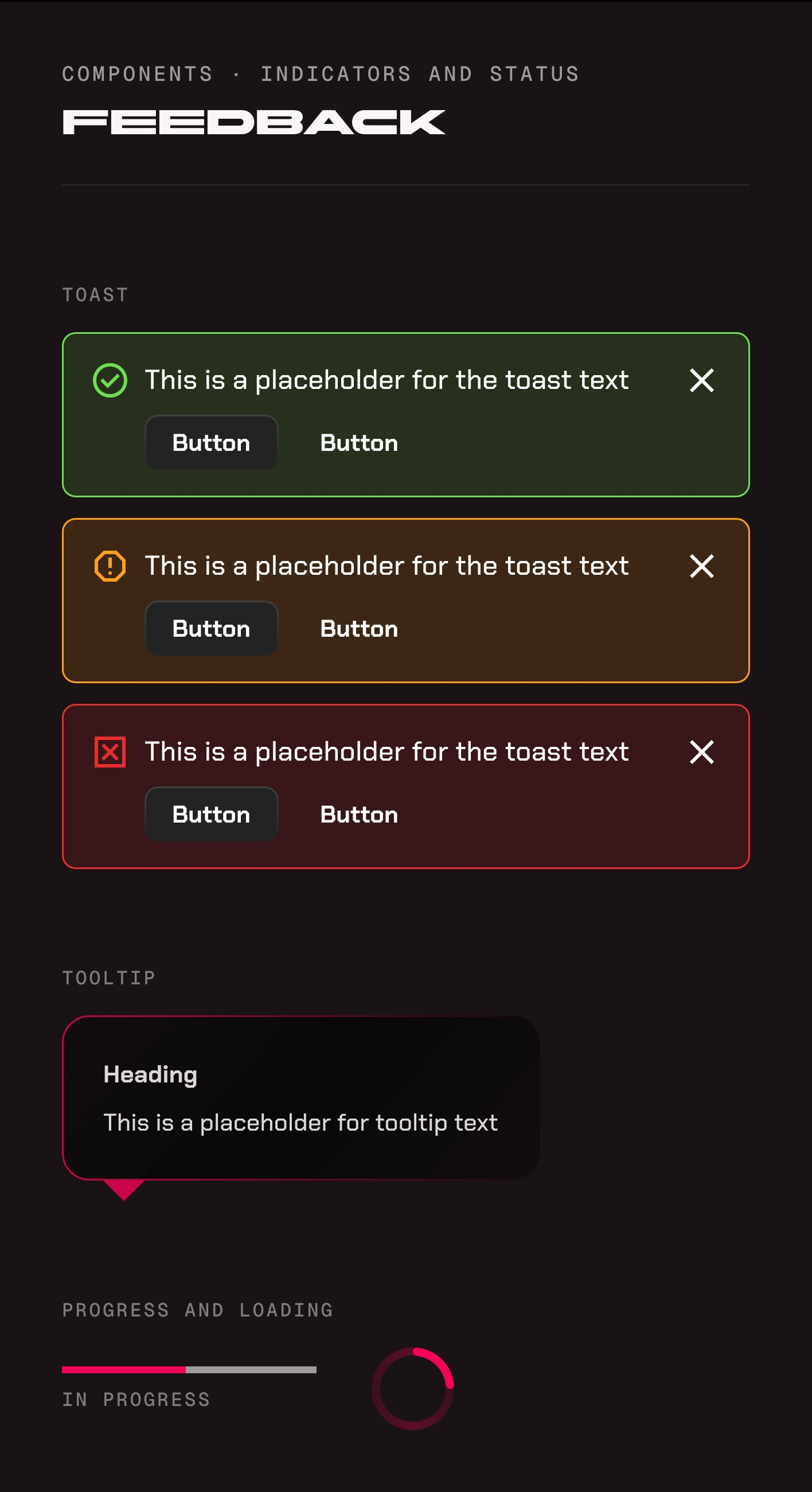
Feedback: success, warning, and error toasts, each with its own icon and color, a tooltip with a heading, a progress bar, and a spinner.
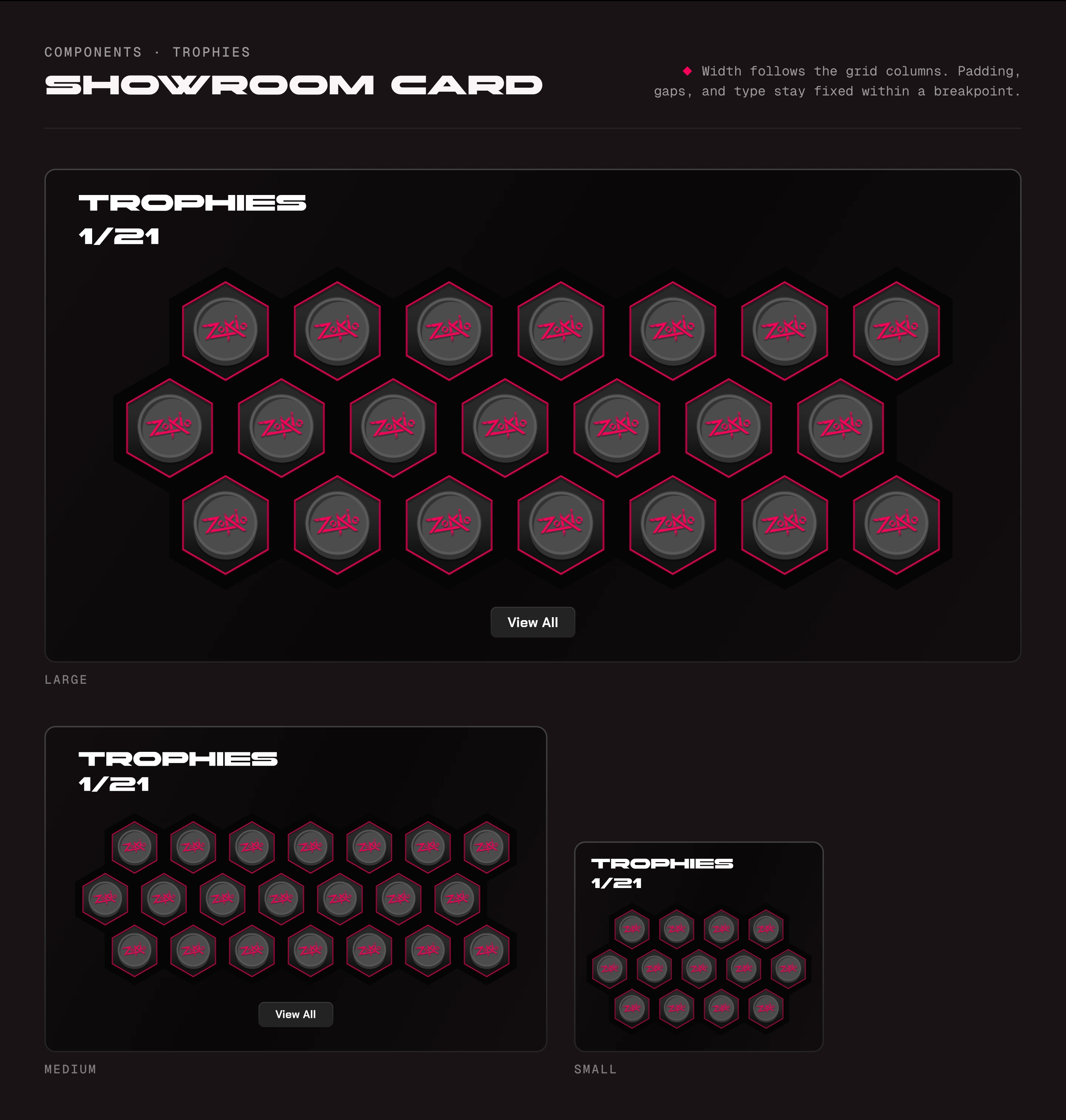
The trophy showroom card at its large, medium, and small sizes, drawn to one scale: the honeycomb of trophies narrows from 7 to a row down to 4 or 5. The note: width follows the grid columns, while padding, gaps, and type stay fixed within a breakpoint.
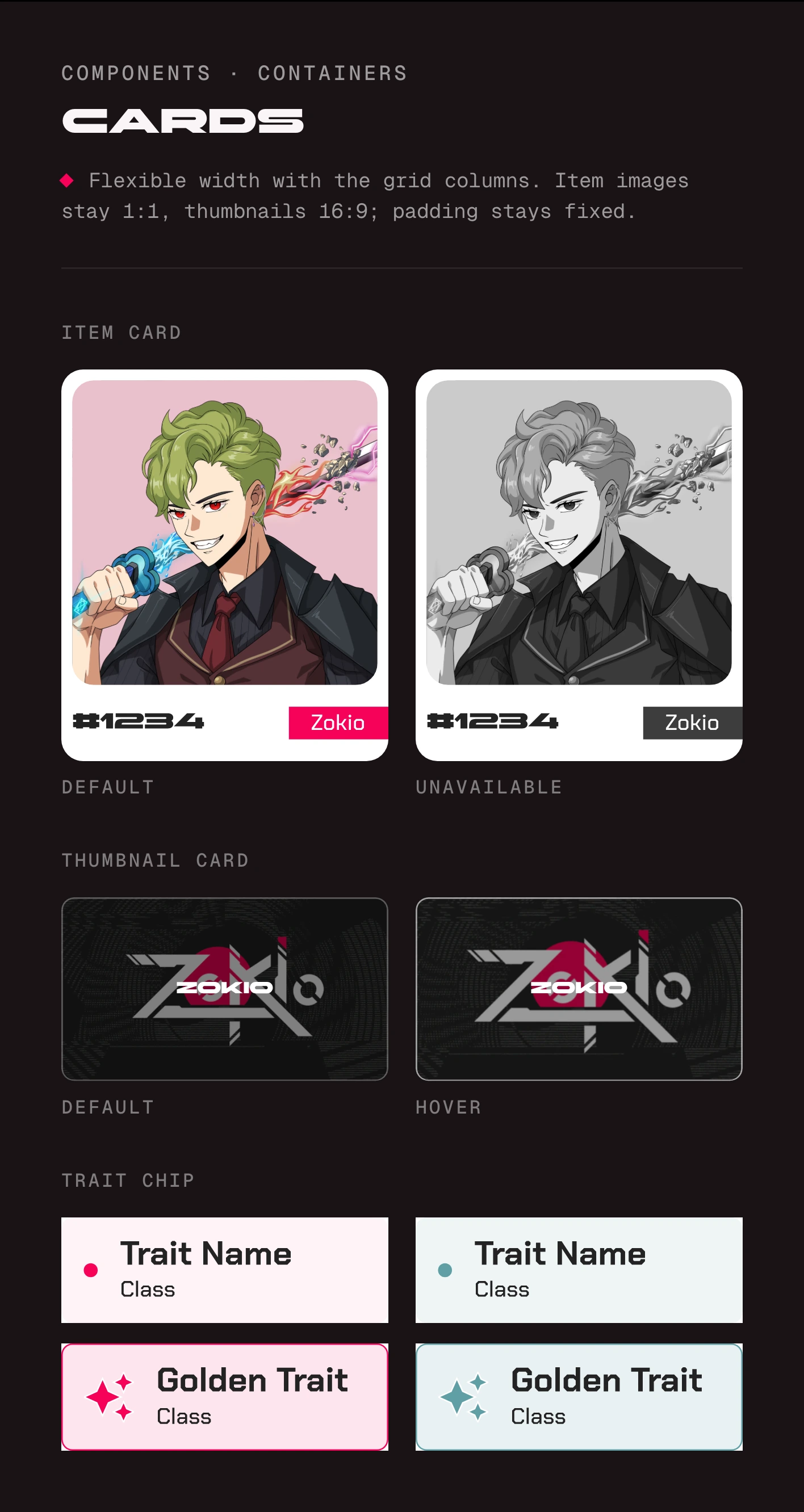
Cards: an item card in default and unavailable states, the unavailable one in grayscale; a project thumbnail card in default and hover states; and trait chips, plain and golden, in two project colors.
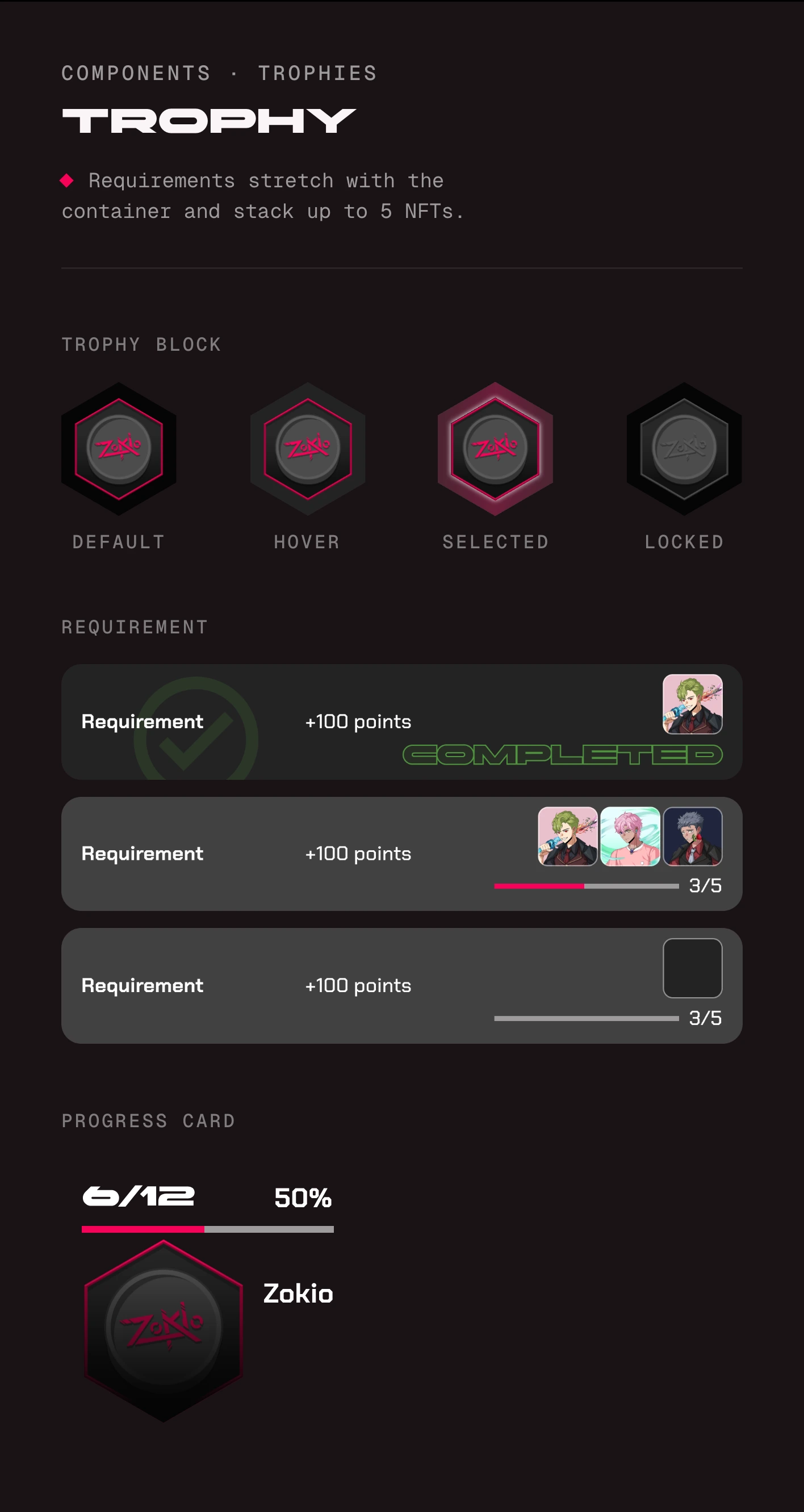
Trophy components: a trophy block in default, hover, selected, and locked states; a requirement row completed, in progress at 3 of 5, and not started; and a progress card at 6 of 12 trophies.
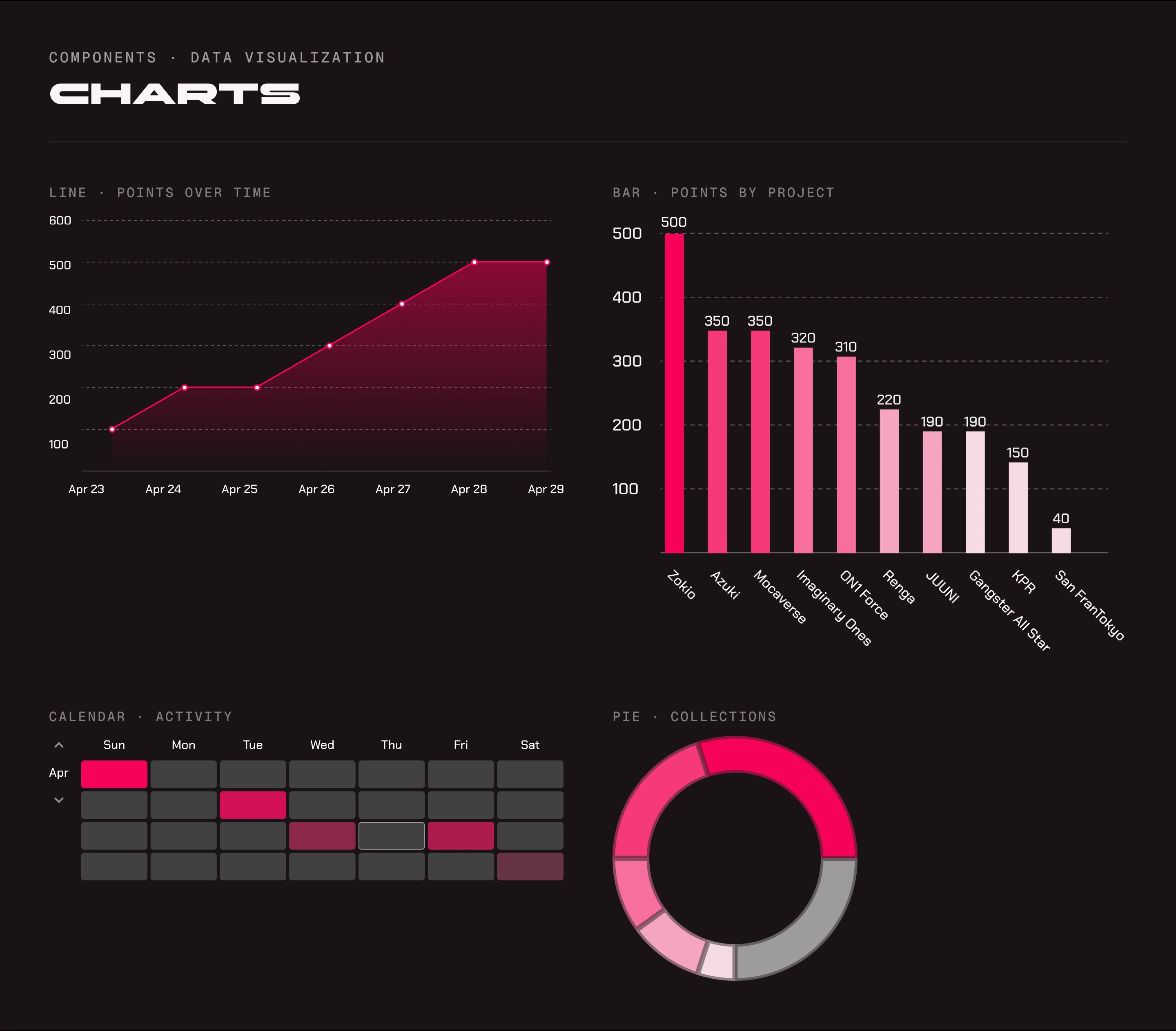
Charts in the pink data visualization ramp: a line chart of points over a week, a bar chart of points by project, an activity calendar, and a donut chart of collections.
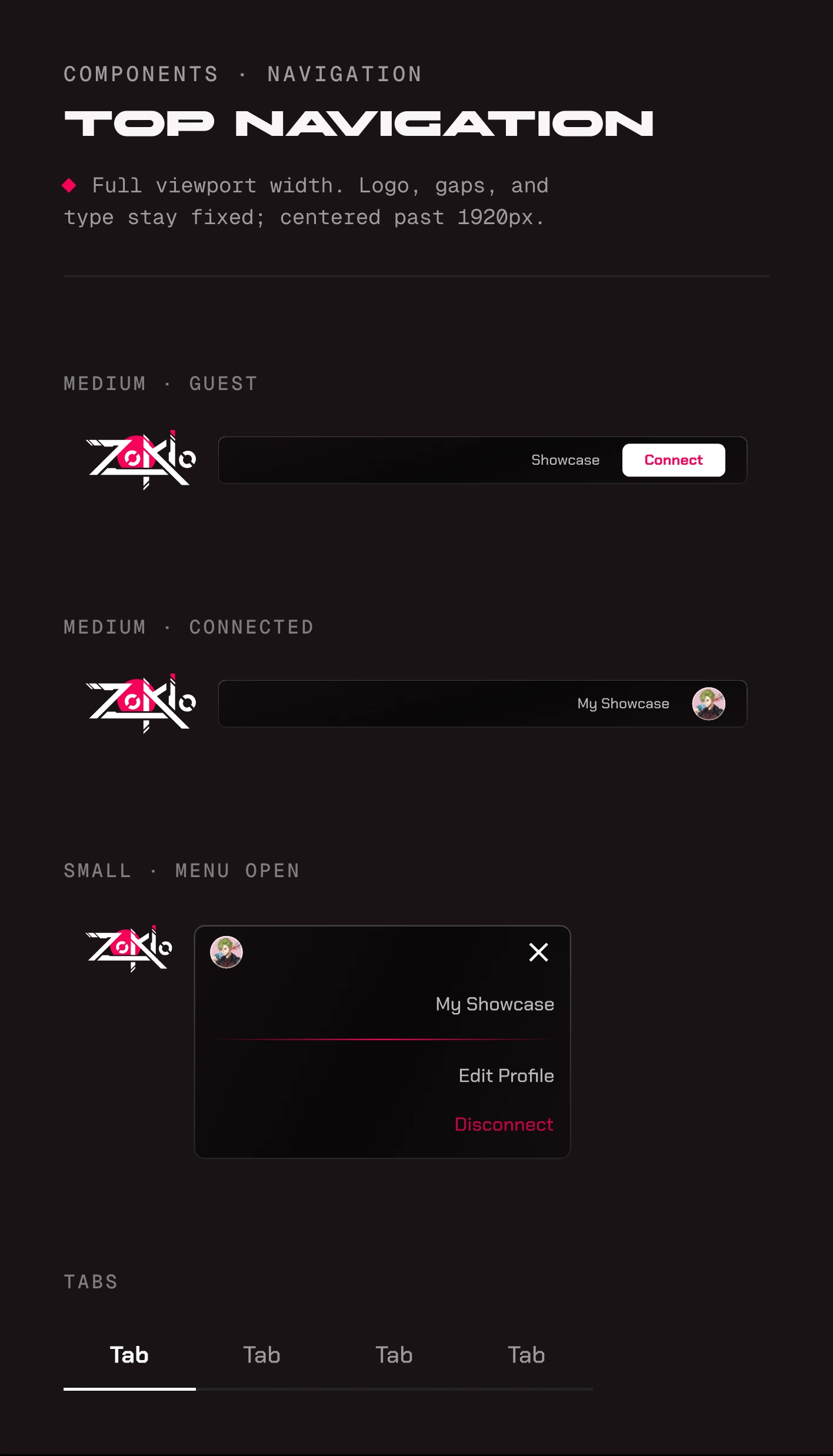
Top navigation: the medium bar for a guest with Showcase and Connect, and for a connected collector with My Showcase and an avatar; the small bar with its menu open; and tabs.
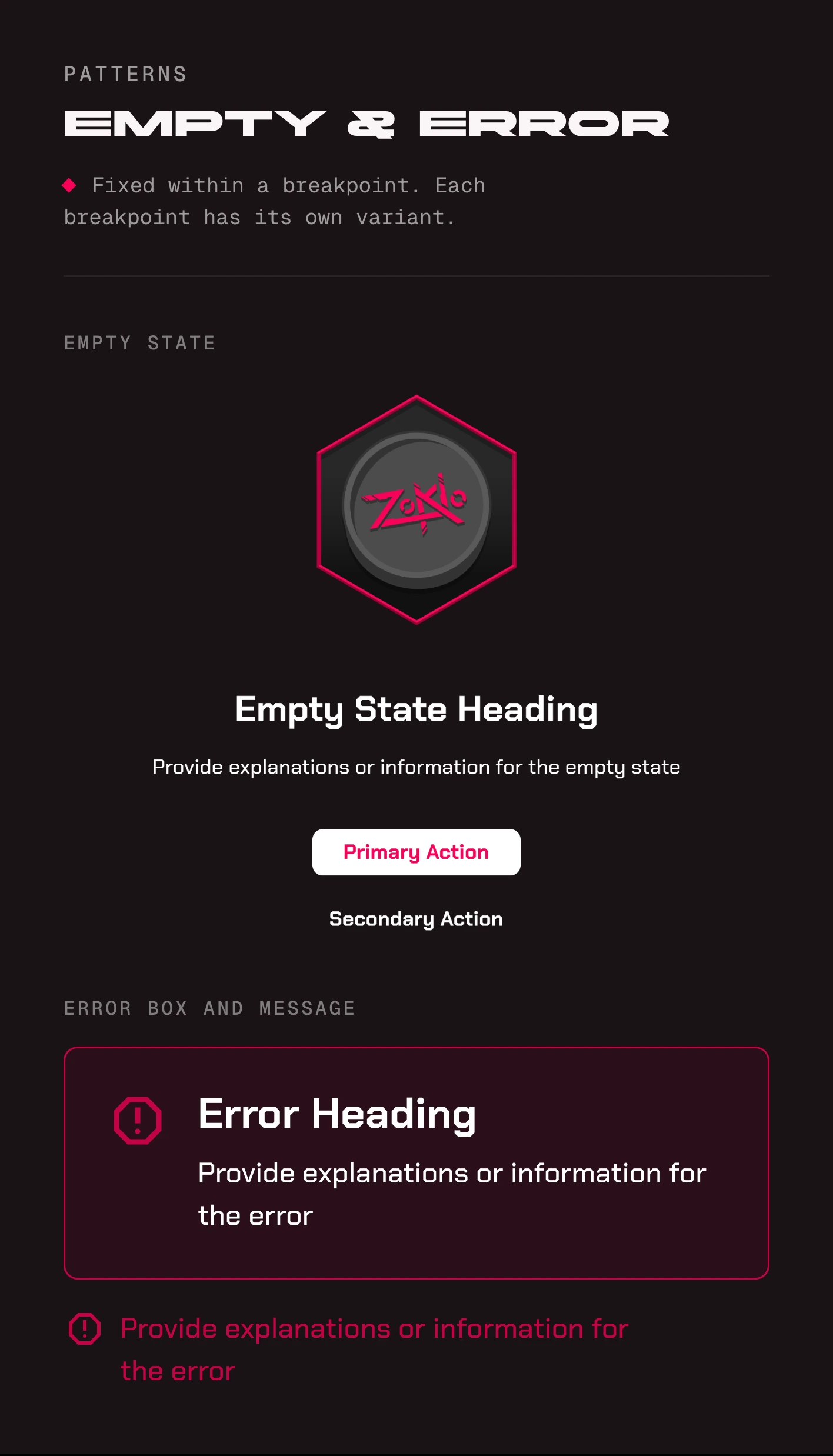
Patterns: an empty state with the Zokio trophy, a heading, an explanation, a primary and a secondary action, then an error box and an inline error message.