Geotab · Shipped 2026
Turning hand-built product labels into an AI workflow people still sign off on
- Role
- Sole designer & builder
- Deliverables
- 2 web apps, an AI skill, user guides, and a Jira integration
- Impact
- Label turnaround from weeks to within a day, with shared resources and clear owners across 3 teams.
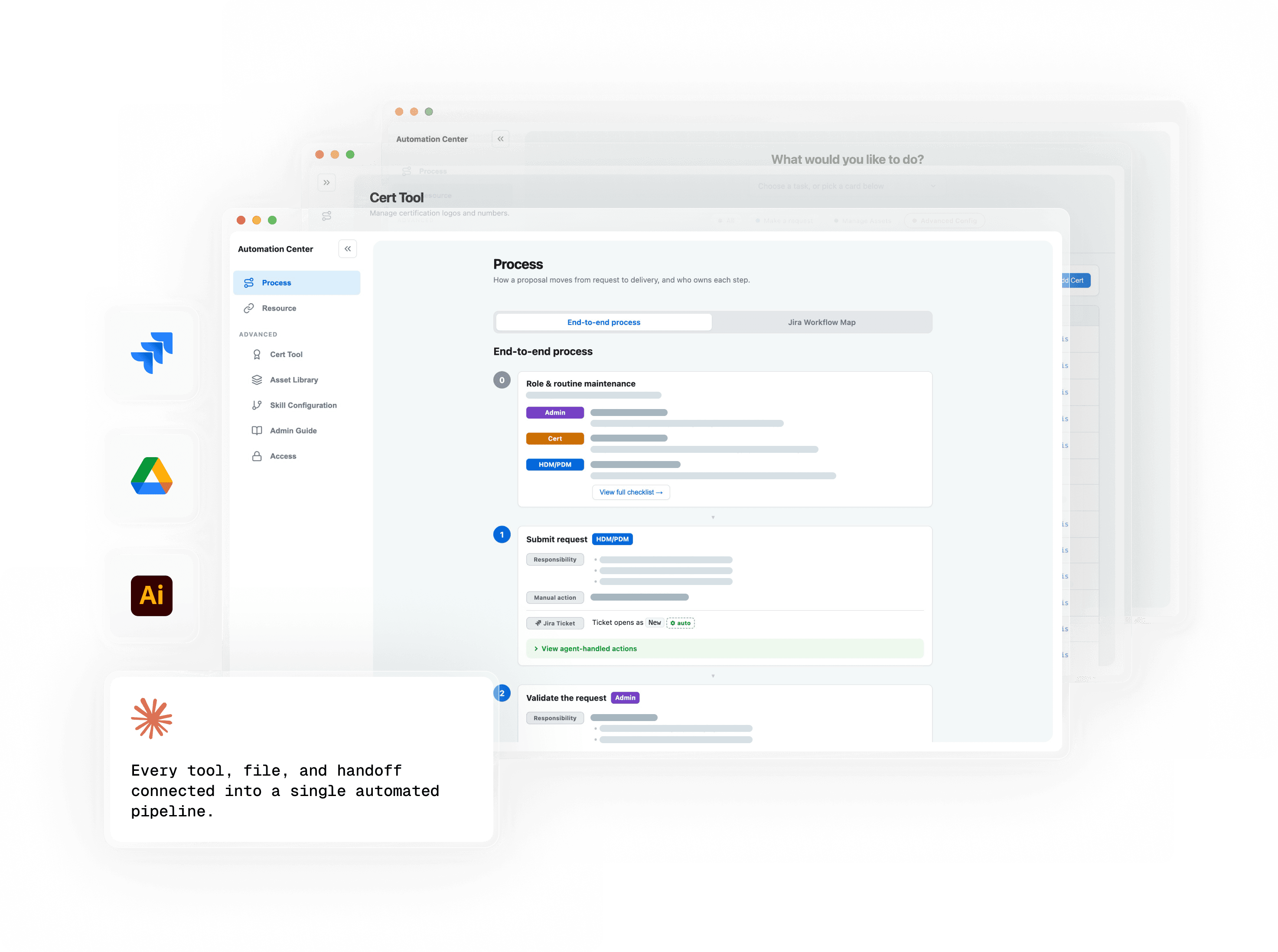
The 2 web apps feed an AI agent that builds the label artwork
/ Automation Center
/ Guided intake
Details blurred for NDA
/ AI agent
- .ai
/ Label artwork
00 / The context
A small label with many owners and no undo.
Every device Geotab sells carries labels. On the device, its cables, and its box, they show the product name, specs, and certification marks.
Certification, brand, and product teams each own a part. Third-party manufacturers add their own requirements.
Most of the work is production, not design. Filling templates, placing marks, and typing specs all follow set rules. Designers did it anyway.
Customers see it, and it’s hard to change. Every file passes through many handoffs and reviews, and each one risks a mistake and adds a wait.
01 / The problem
Requests bounced between teams while designers drew every label by hand.
Answers came over chat, email, and meetings. People spent their time chasing them instead of moving artwork forward.
Designers built and checked every label by hand. One small change meant another full pass and another round of back-and-forth.
02 / The solution
One request, from intake to finished artwork.
The workflow centers on an AI skill, an agent that turns a request into finished label artwork. I designed the two web apps around what it needs. Owners keep its resources current in the Automation Center, and requesters give it product details through guided intake.
The request record holds the answers, and the Jira ticket tracks who owns what. A person starts the agent with the ticket ID and checks its files before anything is published.
/ The solution components
Owners keep their own resources current.
A process map, a Jira workflow map, and task guides show teams what to prepare, who owns each step, and where to go next.
The shared library holds certification marks, brand assets, templates, and label stock. Owners change routing rules and print specs themselves, without touching code. The intake form and the skill both read from it.
The form asks only what the product needs.
I merged the label and packaging forms into one. Questions change with the product, packaging, and certifications picked, and help sits beside each field.
The form pulls its options from the Automation Center. When a certification changes there, a new required field shows up in the form without anyone editing it.
The agent carries the request from ticket to published files.
A person gives the agent a ticket ID. It reads the saved request and the shared library, then drives Illustrator to fill templates, place certification marks, and export editable artwork and a PDF.
Before handing the files back, it checks the layout and flags any mark or content that won’t fit. Once a person approves, it uploads and versions the files, archives the old artwork, posts the links on the ticket, and moves it forward.
03 / AI and people
AI runs the build. People make the calls.
The skill takes only the production work. It follows the rules designers used to follow by hand, and it stops where judgment starts.
People make 4 calls. Triage, artwork review, committee approval, and printed-sample checks ask whether a label is right, not how to build it.
A person starts and approves every build. That’s slower than a hands-off pipeline. In exchange, nothing ships unapproved.
04 / The impact
From weeks to within a day.
Turnaround dropped from weeks to within a day. Artwork assembly went from an afternoon to 5 minutes, because finding assets, filling templates, and placing marks now happen in the build.
Resources live in one library with named owners, and finished files link back to the ticket they started from.
05 / Looking back / Four takeaways
Designing for AI meant designing how people work with it.
1. Put people where judgment matters. People own the output, so I placed input, review, and approval where their time counts most.
2. Use an agent when the work crosses tools. I chose an agent over plain scripts because it works across Illustrator and Jira, reading tickets, drawing artwork, posting comments, and moving tickets on its own. Non-technical teams can run it without learning new software, and designers can update it without a developer.
3. Fix the workflow, not just the task. Automating the build wasn’t enough. The system only scales if every resource and step has a clear owner.
4. Start small. This project grew out of small AI and Illustrator experiments. Quick prototypes and regular feedback from stakeholders kept it aimed at the team’s real problems.